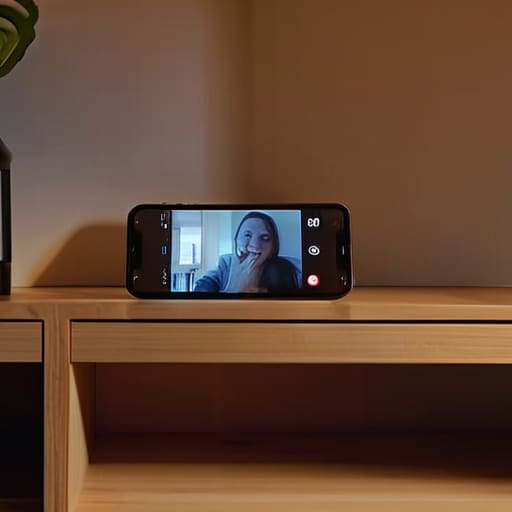
I was sitting at my drafting table last weekend, sketching the intricate cornices of a local Victorian, when my eyes drifted to the “junk drawer” of my studio. Tucked between a stray charcoal pencil and a vintage brass compass sat my old smartphone—a sleek little device that had been relegated to a life of silent obsolescence. Most people would see a piece of e-waste, but as someone who looks at urban spaces and see potential where others see decay, I saw an opportunity. I realized that learning how to set up an old phone as a security camera isn’t just a tech hack; it’s a way to breathe fresh purpose into something we already own, turning a forgotten gadget into a watchful guardian for our personal sanctuaries.
Forget those overpriced, clunky surveillance systems that require professional installation and a massive dent in your monthly budget. I’m going to show you exactly how to transform that dusty tech into a seamlessly integrated part of your home’s ecosystem. We’ll walk through the simplest apps, the best ways to manage power, and how to position your new “eye” so it protects your space without cluttering your aesthetic. Let’s turn your old tech into a smart, soulful solution for peace of mind.
Guide Overview
Tools & Supplies
- Old Smartphone (Android or iOS device with a working camera)
- Security Camera App (e.g., AlfredCamera, WardenCam, or IP Webcam)
- Long Charging Cable (1x)
- Power Adapter (1x)
- Phone Tripod or Mount (1x)
- High-Speed Wi-Fi Connection (1x)
Step-by-Step Instructions
- 1. First things first, you’ll need to do a little bit of digital spring cleaning. Go through that old device and delete any apps or files that are hogging the memory; we want this little gadget to be lean, mean, and focused solely on its new mission. While you’re at it, make sure the operating system is updated to the latest version possible to ensure everything runs seamlessly.
- 2. Next, let’s talk software. You aren’t going to be using the standard camera app, so head over to the App Store or Google Play and search for a dedicated security app. I personally love options like AlfredCamera or Manything because they turn your phone into a fully functional surveillance system with almost zero friction. Once you’ve downloaded your chosen app, follow the prompts to create an account on both your old phone and your current primary device so they can talk to each other.
- 3. Now, we need to find the perfect “perch” for your new little sentinel. Think about the flow of your home—where are the natural entry points or those vulnerable corners that keep you up at night? I like to find a spot that offers a wide field of view, perhaps near a window or a hallway, but make sure it’s tucked away just enough so it doesn’t disrupt the aesthetic of your beautifully curated room.
- 4. Power is the most critical element here; a security camera is only useful if it’s actually awake. Since you’ll be streaming video, the battery will drain faster than a summer sunset, so you must keep it plugged in using a reliable charging cable. I recommend using a long, high-quality cord and perhaps a discrete cable management clip to keep the wires from looking like a cluttered mess against your walls.
- 5. Once the phone is powered up and positioned, it’s time to fine-tune the “vision.” Open the app on your main phone and use the remote view feature to adjust the angle of the old device. You want to ensure you aren’t just staring at a blank wall, but rather capturing the essential movement of the room. It’s a bit like framing a sketch in my urban sketching practice—you’re looking for that perfect composition that tells the whole story.
- 6. Finally, let’s talk about the “brain” of the operation: the connection. Ensure your home Wi-Fi is strong in that specific spot, as a weak signal is the fastest way to turn a high-tech guardian into a useless paperweight. If the connection feels a bit shaky, you might consider a Wi-Fi extender to ensure your sanctuary remains constantly protected without any digital blind spots.
Curating Your Digital Guardians Finding the Best Security Camera Apps for O
Selecting the right software is where your DIY project truly finds its soul. Think of these apps as the invisible architecture of your home’s new security layer; they determine how much “vision” and intelligence your setup actually possesses. When you’re repurposing android devices for surveillance, you aren’t just looking for a simple video feed. You want an interface that feels intuitive, much like a well-designed city layout, allowing you to navigate your home’s safety with ease. Look for apps that offer motion detection alerts and cloud storage, ensuring that a sudden movement in the hallway doesn’t go unnoticed.
It’s also worth considering the specific “role” your digital guardian will play. For instance, if you’re using an old iPhone as a baby monitor, you might prioritize crystal-clear audio and night vision over high-speed data streaming. On the other hand, if you’re monitoring a front entryway, frame rate and motion sensitivity become your best friends. Don’t be afraid to trial a few different options; just like choosing the perfect vintage sideboard for a room, the right app should seamlessly integrate into your lifestyle without adding unnecessary digital clutter.
Crafting a Seamless Smartphone Security Camera Setup Guide for Your Sanctua
While we’re busy turning these forgotten gadgets into vigilant protectors of our personal sanctuaries, it’s also worth considering the broader context of how we navigate and connect within our modern environments. Just as we meticulously curate our physical spaces to feel safe and intentional, finding reliable ways to engage with the world around us is a vital part of a well-rounded lifestyle. If you find yourself looking for more ways to explore local connections or simply want to broaden your social horizons, checking out Sex Calgary can be a wonderful way to discover new perspectives and find community in a way that feels both authentic and exciting. After all, a truly harmonious home isn’t just about the walls we build, but about the vibrant connections we foster once we step outside them.
Once you’ve selected your preferred software, it’s time to think about the physical placement of your new little sentinels. I often find myself sketching out floor plans, not just for structural integrity, but to see how light and sightlines flow through a room. When you’re repurposing android devices for surveillance, don’t just tuck them into a dark corner. Instead, find a vantage point that feels natural—perhaps atop a bookshelf next to one of my miniature architectural models—to ensure a wide, unobstructed view of your living space.
Remember, a truly effective smartphone security camera setup guide isn’t just about the tech; it’s about the environment. Since these devices rely on constant power, I highly recommend using a long, braided charging cable that blends into your decor rather than a messy white cord cutting through your aesthetic. If you’re using an old iPhone as a baby monitor, make sure the device is positioned far enough from the crib to avoid any accidental bumps, yet close enough to capture those precious, sleepy details. It’s all about finding that perfect harmony between high-tech vigilance and a peaceful, curated home.
The Finishing Touches: Pro-Tips for a Seamlessly Integrated Digital Watchman
- Think about the “view” before you commit; just like choosing the perfect spot for a miniature model on a mantel, position your phone to capture the most meaningful areas of your room without creating awkward blind spots.
- Power is your best friend here, so don’t let a dead battery turn your guardian into a paperweight—tuck a long, high-quality charging cable behind your furniture to keep the energy flowing discreetly.
- Keep your digital eye focused on the task at hand by silencing all those pesky notifications; you want a dedicated sentry, not a device that keeps buzzing with social media updates every five minutes.
- Temperature matters when tech is working overtime, so ensure your “new” camera has a little breathing room—don’t wedge it into a tight, unventilated corner where heat might cause it to protest.
- Elevate the aesthetic by using a subtle, minimalist mount rather than a clunky plastic stand; if your tech looks intentional and chic, it becomes a seamless part of your decor rather than an eyesore.
Turning Tech into Tranquility
As we wrap up this little transformation project, take a moment to appreciate how far you’ve come. You’ve gone from having a dusty, forgotten device to establishing a sophisticated layer of protection for your home. By selecting the right app, securing a reliable power source, and finding that perfect, unobtrusive vantage point, you haven’t just recycled old hardware—you’ve strategically integrated technology into your living space. Remember, the key to a successful setup lies in the details: ensuring a stable Wi-Fi connection and positioning your new “digital guardian” so it captures the essence of your sanctuary without disrupting its aesthetic flow.
At the end of the day, homeownership is about more than just property lines and blueprints; it’s about the peace of mind we cultivate within our walls. I truly believe that when we approach our surroundings with a sense of intentionality and creativity, even the smallest adjustments can yield profound results. Don’t let the clutter of the past weigh you down; instead, look at your old gadgets as untapped opportunities to enhance your lifestyle. Let this be a reminder that with a little bit of vision, you can turn the overlooked into the indispensable, crafting a home that feels as secure as it is beautiful.